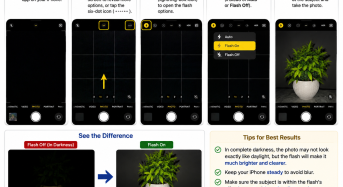
How to Take a Photo in Complete Darkness Using an iPhone
If you want to take a photo in complete darkness, you can use your iPhone’s camera flash to illuminate the subject. 1. Open the Camera app on your iPhone. 2.…

If you want to take a photo in complete darkness, you can use your iPhone’s camera flash to illuminate the subject. 1. Open the Camera app on your iPhone. 2.…
1. Open Adobe Premiere Pro 2023 on your computer. 2. Create a New Project. 3.Import your video file into the Project panel. 4. Drag and drop the video from the…
1. Open Adobe Premiere Pro 2023 on your computer. 2. Create a New Project. 3.Import your video file into the Project panel. 4. Drag and drop the video from the…
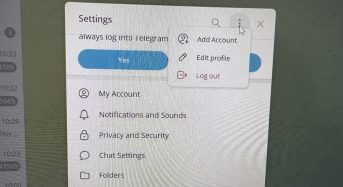
If you use Telegram on a desktop computer, it is important to log out when you have finished using it—especially if the computer is shared with other people. Logging out…
Before You Begin Before starting the conversion process, ensure the following: Your iPhone supports eSIM. Your iPhone is updated to the latest version of iOS. Your Airtel physical SIM is…
To make your iPhone camera display full screen while taking photos, you need to switch from the default 4:3 aspect ratio to 16:9. By default, the camera uses 4:3, which…
1. Open the Facebook app on your device. 2. Switch to your Page profile by tapping your profile icon and selecting your Page. 3. Tap the menu (☰) or go…
To check the basic system information or the “date of birth” of a PC or laptop using a built-in feature in the Windows operating system. The process allows users to…
The standard Indian passport photo size is: Size: So the passport photo should be 3.5 cm (width) × 4.5 cm (height). Other important requirements for an Indian passport photo:
You can shut down your Windows computer quickly using only the keyboard. Follow these steps: That’s it! Your computer will begin shutting down.