If you accidentally close the wrong browser tab, don’t worry! You can easily reopen it. Simply press Ctrl+Shift+T on your computer keyboard if you’re using a Windows Operating System. For Macintosh system, press Command+Shift+T. This shortcut will restore the recently closed tab, allowing you to continue your browsing without interruption.

Recent News
- 2 days ago - Puhpa M. Laikaw, CEM, MADC ta Rev. L. Mark (Late) Pathliena Programme hmâkhei -
- 4 days ago - MADC Emergency Session 2026 cha apalâ kawpa ta hnei patlôpa a châ -
- 2 weeks ago - Puhpa S. Lalremthanga, Dy. CEM, MADC ta Tipa liata Teachers’ Day ei 65th-na Celebration Programme hmâkhei -
- 3 weeks ago - Puhpa K. Chhuabei, EM, MADC ta Meisatlâh-II liata Panchayat Bhawan a pahy -
- 3 weeks ago - How to Take a Photo in Complete Darkness Using an iPhone -
Editor's Picks
-

Puhpa M. Laikaw, CEM, MADC ta Rev. L. Mark (Late) Pathliena Programme hmâkhei
-

MADC Emergency Session 2026 cha apalâ kawpa ta hnei patlôpa a châ
-

Puhpa S. Lalremthanga, Dy. CEM, MADC ta Tipa liata Teachers’ Day ei 65th-na Celebration Programme hmâkhei
-

Puhpa K. Chhuabei, EM, MADC ta Meisatlâh-II liata Panchayat Bhawan a pahy
-
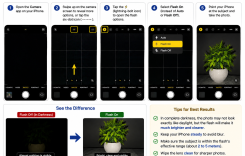
How to Take a Photo in Complete Darkness Using an iPhone
-
MADC Calendar 2027 liata pachoh awpa nothlah â pangia thei lymâ
-
How to Cut or Trim a Video in Adobe Premiere Pro 2023
-
How to Cut or Trim a Video in Adobe Premiere Pro 2023
-
Phone tawhta nata WhatsApp tawhta Gas Booking tao dâh
-
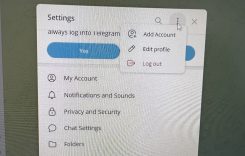
How to Log Out of Telegram on a Desktop Computer?